

Uploading and installing patches with the VI Client
Although most ESX patches are now done through VMware’s Update Manager but occasionally we will need up manually patch an ESX host. Here is a quick way to do it with just the VI Client and putty.
- Be sure to put your host into Maintenance mode.

- After downloading your patch to your workstation, launch the VI client and pick an ESX host.
Right click on a datastore (local storage is great for this) and click ‘Browse DataStore’.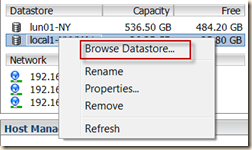
- You can then click the upload icon
 and then Upload File.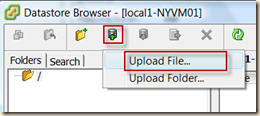
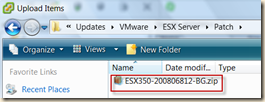
- Navigate and choose your patch file package.
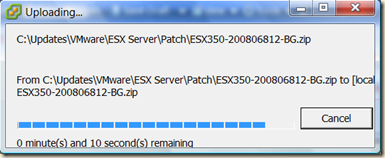
- Wait for the upload to complete. :)
- Launch Putty (or go to the server console) and log into your ESX host and switch to your DataStore directory.

- Move the package from the DataStore to the /tmp/ directory
mv <package> /tmp/
- cd /tmp/ and unzip <package>

- change into the created directory and run esxupdate update

- Once complete, reboot and exit Maintenance mode.


